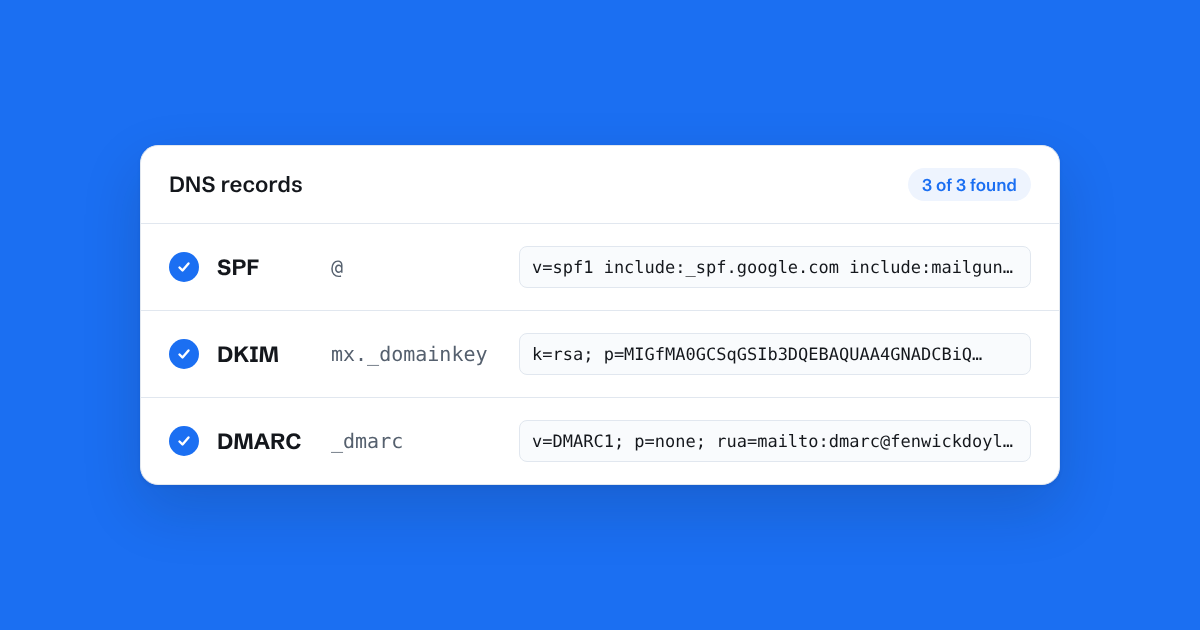
If you've ever set up a new email tool, you've probably been asked to "add these DNS records". Three names keep coming up: SPF, DKIM and DMARC. They're worth understanding, because together they decide whether your replies land in a customer's inbox or their spam folder.
None of them is complicated. Here's what each one does.
The problem they solve
Email was designed decades ago, with no built-in way to prove who sent a message. Anyone can send an email that claims to be from your address. Spammers and fraudsters do this all the time.
SPF, DKIM and DMARC are how receiving mail services, like Gmail and Outlook, check whether an email claiming to be from your domain really is.
SPF: who may send for you
SPF is a single DNS record on your domain listing the services allowed to send email as you. It looks something like this:
v=spf1 include:_spf.google.com include:mailgun.org ~all
That says: Google and Mailgun may send for this domain; treat anything else with suspicion.
Common mistakes:
- Two SPF records. A domain must have exactly one. If you add a second record for a new tool instead of adding to the existing one, both stop working. Merge them into one record with several
include:parts. - Too many lookups. SPF allows at most ten DNS lookups. Each
include:counts, and some include others. Long lists of old services can push you over, and then SPF fails. Remove services you no longer use. - Includes that point nowhere. If a record includes something that doesn't exist, receivers may treat your SPF as broken.
DKIM: a signature on every email
DKIM adds a digital signature to each email you send. The sending service signs the message with a private key, and publishes the matching public key in your DNS. Receivers look up the key and check that the signature matches, which proves the email came from an approved service and wasn't changed on the way.
You don't write DKIM records yourself. Each sending service gives you one or more records to copy into your DNS. You'll often have one DKIM record per service, which is fine. Unlike SPF, several can live side by side.
DMARC: what to do when checks fail
DMARC ties the other two together. It's a DNS record that tells receivers what to do with email that fails SPF and DKIM checks, and where to send reports about it.
The policy has three settings:
p=none: just report, don't change delivery. The right place to start.p=quarantine: send failing mail to spam.p=reject: refuse failing mail altogether.
A simple starting record looks like:
v=DMARC1; p=none; rua=mailto:dmarc@yourdomain.co.uk
Since 2024, Google and Yahoo have required DMARC for anyone sending large volumes of email to their users, and having one helps smaller senders too. Start with p=none, check the reports for a few weeks to make sure everything you use is set up properly, then tighten it.
The one to watch: if you set p=quarantine or p=reject before every service you send through has SPF and DKIM set up, your own legitimate email will start going to spam or bouncing.
A checklist for small teams
- Make sure your domain has exactly one SPF record, listing every service that sends as you.
- Add the DKIM records each sending service gives you.
- Add a DMARC record with
p=noneto start. - When you add a new tool, update your SPF record rather than adding a new one.
- Every year or so, remove services you've stopped using.
In Bosun
When you verify your domain in Bosun, we show the exact records to add and check them for you, including whether you already have an SPF record we need to add to rather than a second one. We also warn if your DMARC policy would send replies to spam before the DKIM records are live. If something's wrong, the domain page says which record and why.